4
Quality assurance (QA) is one of the most critical stages in professional translation workflows. While SDL Trados Studio offers built-in QA checks, many experienced translators and LSPs rely on Xbench as an additional, independent verification layer — especially for large or high-risk projects.
In this article, we’ll cover:
-
What Xbench is and why it’s still widely used
-
How Xbench verification works with SDL Trados projects
-
Typical QA issues Xbench detects better than Trados
-
Common pain points when preparing Trados files for Xbench
-
How linigu.cloud’s SDL Converter makes Xbench workflows easier by converting Trados files to bilingual Word or Excel
This guide is aimed at freelance translators, reviewers, and project managers who want more control over quality.
1. What Is Xbench and Why Do Translators Use It?
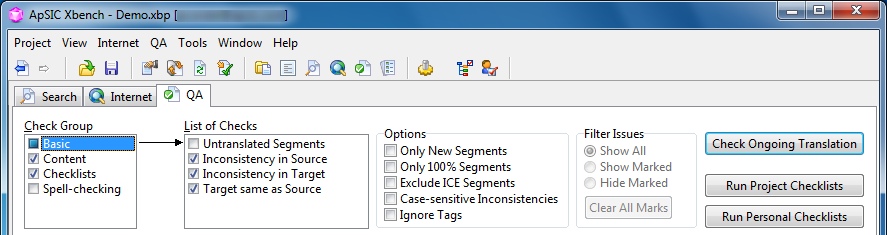
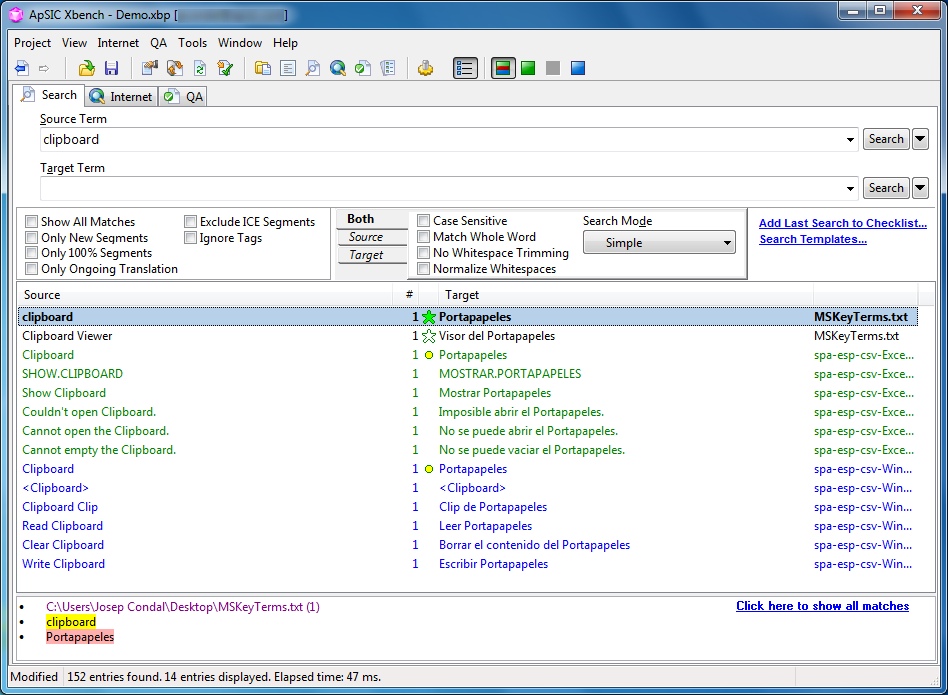
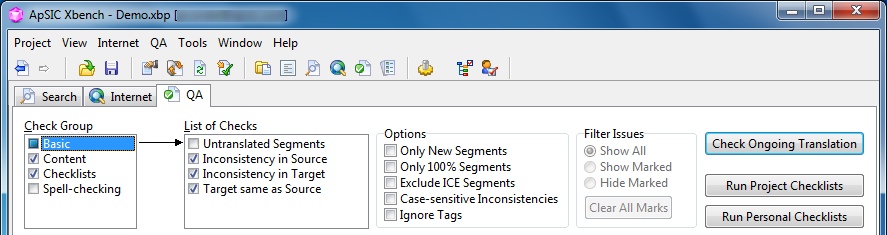
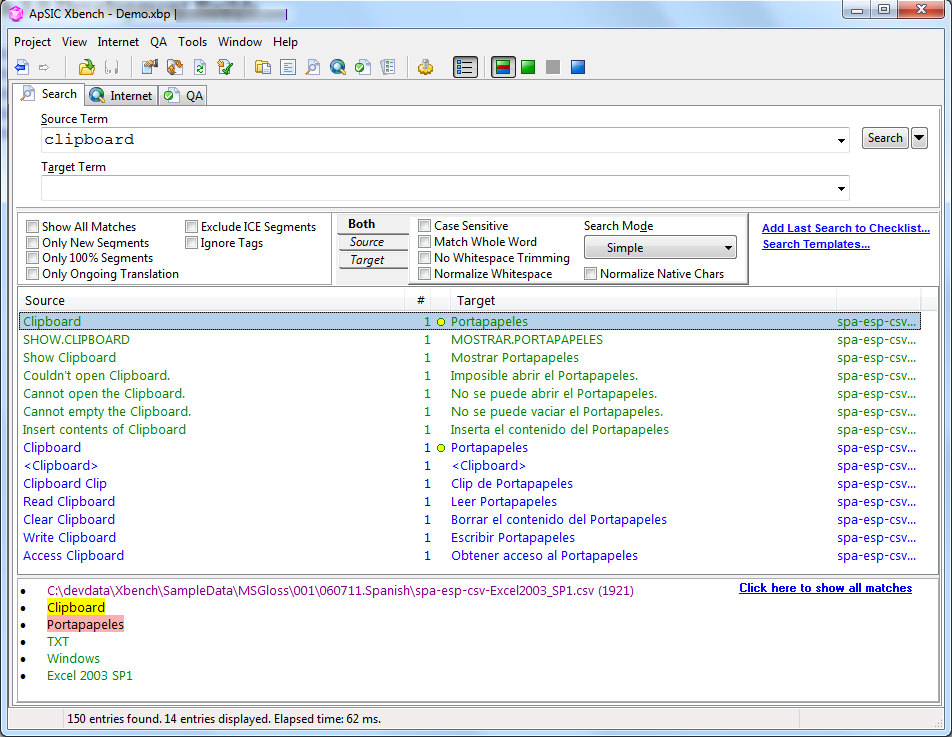
Xbench is a standalone QA and verification tool designed specifically for translators and localization professionals. Unlike CAT tools, Xbench does not perform translation. Instead, it analyzes bilingual content to detect inconsistencies, terminology errors, missing elements, and technical issues.
Why Xbench Is Still Relevant
Even though SDL Trados has its own QA checker, Xbench is popular because it:
-
Works independently of the CAT tool
-
Handles very large projects efficiently
-
Offers powerful terminology and consistency checks
-
Is widely accepted by agencies and enterprise clients
Many LSPs explicitly request Xbench QA reports as part of delivery.
2. Built-In QA in SDL Trados vs Xbench Verification
4
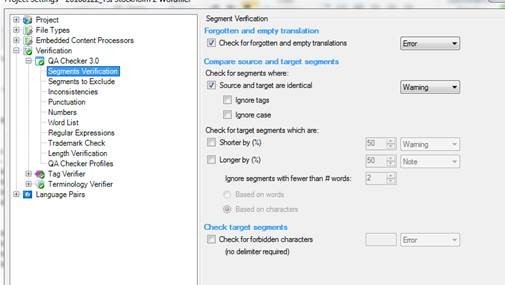
SDL Trados QA
SDL Trados Studio focuses on:
-
Tags
-
Numbers
-
Punctuation
-
Spelling
-
Basic terminology checks
These checks are segment-oriented and deeply integrated into the editor.
Xbench QA
Xbench excels at:
-
Cross-file consistency
-
Terminology enforcement across large datasets
-
Forbidden term detection
-
Pattern-based searches
-
External QA independent of Trados settings
Key difference:
Trados QA works inside the CAT tool, while Xbench works on exported bilingual content.
3. Typical Xbench Checks for SDL Trados Projects

When used with SDL Trados projects, Xbench commonly checks:
🔹 Terminology Consistency
-
Preferred vs forbidden terms
-
Missing term translations
-
Incorrect variants
🔹 Consistency Checks
-
Same source → different target
-
Same target → different source
-
Capitalization inconsistencies
🔹 Numbers and Symbols
-
Missing or altered numbers
-
Incorrect measurement units
-
Symbol mismatches
🔹 Omitted or Extra Content
-
Missing segments
-
Untranslated text
-
Duplicated content
These checks are especially valuable for technical, legal, and medical translations.
4. The Biggest Challenge: Preparing Trados Files for Xbench
Xbench does not work directly with SDLXLIFF files in their native form. This creates a common bottleneck.
Translators often struggle with:
-
Exporting the correct bilingual format
-
Making sure all segments are included
-
Preserving context and alignment
-
Sharing files with reviewers
While Trados offers export options, they are not always ideal for deep QA or Excel-based analysis.
5. Why Bilingual Word or Excel Files Are Ideal for Xbench
Xbench works best with clear bilingual formats, such as:
-
Bilingual Word tables
-
Excel spreadsheets with source/target columns
These formats allow:
-
Full project visibility
-
Easy filtering and searching
-
Manual verification alongside automated QA
-
Seamless sharing with PMs or clients
Excel is especially powerful for:
-
Terminology audits
-
Repeated error detection
-
Large-scale QA across multiple files
6. How linigu.cloud’s SDL Converter Improves Xbench Workflows
The SDL Converter tool on linigu.cloud was designed to solve exactly this problem.
With free registration, translators can:
-
Convert SDL Trados files into bilingual Word or Excel
-
Preserve source and target alignment
-
Instantly view all segments outside Trados
-
Prepare files perfectly suited for Xbench verification
-
Share QA-ready files with reviewers or clients
Instead of struggling with CAT-tool-specific exports, you get clean, human-readable files in seconds.
7. Practical Workflow: SDL Trados + Xbench + linigu.cloud
A recommended professional workflow looks like this:
-
Translate content in SDL Trados Studio
-
Run built-in Trados QA checks
-
Fix all technical warnings
-
Upload Trados files to linigu.cloud SDL Converter
-
Convert to bilingual Word or Excel
-
Load the converted file into Xbench
-
Run advanced QA checks
-
Deliver with confidence
This layered approach dramatically reduces QA risk.
8. Common Xbench Issues That Trados Often Misses
Examples of issues Xbench frequently catches:
-
Inconsistent terminology across files
-
Different translations of identical source strings
-
Forbidden terms missed by Trados
-
Accidental copy-paste errors
-
Capitalization drift
These issues become obvious when reviewing bilingual Excel or Word files.
9. Who Benefits Most from This Workflow?
Freelance Translators
-
Deliver higher quality
-
Reduce revisions
-
Meet agency QA requirements
Agencies & LSPs
-
Standardized QA process
-
Easier reporting
-
Client-friendly deliverables
Enterprise Localization Teams
-
Large-scale consistency
-
Terminology enforcement
-
Audit-ready documentation
Conclusion
Xbench verification remains one of the most reliable ways to ensure high-quality translations — especially when working with SDL Trados projects. While Trados’ built-in QA checks are useful, they are not sufficient on their own for complex or large-scale projects.
By converting Trados files into bilingual Word or Excel using linigu.cloud’s SDL Converter, translators unlock the full power of Xbench:
-
Better visibility
-
Stronger consistency checks
-
Faster QA
-
More professional deliveries
For translators who care about quality and efficiency, this combination is no longer optional — it’s best practice.
Comments ()
No comments yet. Be the first to comment!