

4
Translators working with agencies or enterprise clients often receive Transit NXT projects and quickly run into a familiar problem:
files with extensions like .PPF or .TPF that cannot be opened in common CAT tools, Word, or Excel.
If you’ve ever asked yourself:
-
What is a PPF or TPF file?
-
How can I open Transit files without Transit NXT?
-
Can Transit files be opened in memoQ?
-
How can I convert Transit files to Excel for QA or review?
—you’re not alone.
This article explains Transit NXT file formats, how they work, what your options are for opening them, and how linigu.cloud’s SDL Converter helps you convert Transit data into Excel or Word for instant visibility.
1. What Is Transit NXT and Why Its File Formats Are Different


4
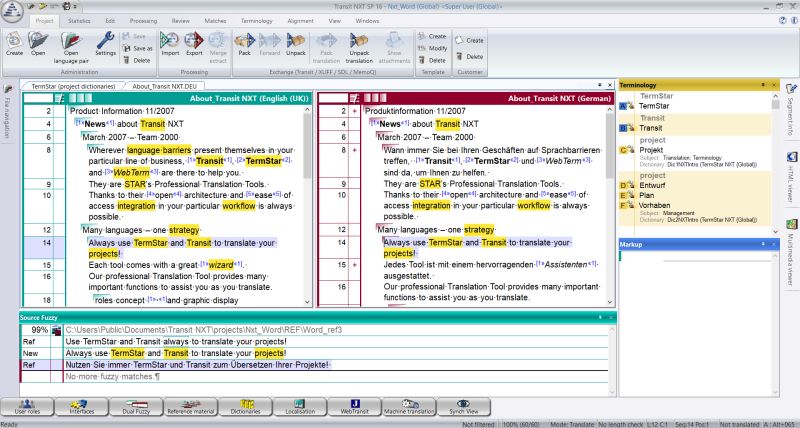
Transit NXT is a professional CAT tool developed by STAR Group, designed for complex, context-aware translation workflows. Unlike SDL Trados or memoQ, Transit relies heavily on internal project packaging and reference material, rather than open, user-friendly files.
Because of this, Transit projects often contain proprietary file formats that are not immediately readable outside the Transit environment.
The two most common formats translators encounter are:
-
.PPF files
-
.TPF files
Understanding these formats is the first step toward working with them efficiently.
2. What Is a *.PPF File in Transit NXT?
A PPF file (Project Package File) is a Transit NXT project container. It usually includes:
-
Source text
-
Translation segments
-
Reference material
-
Project-specific settings
-
Context and formatting information
Key Characteristics of PPF Files
-
Proprietary Transit format
-
Cannot be opened in Word, Excel, memoQ, or SDL Trados
-
Designed to be opened only inside Transit NXT
-
Often sent by agencies to translators as the main project file
If you double-click a .ppf file without Transit installed, nothing useful will happen — which is why many translators feel stuck when receiving them.
3. What Is a *.TPF File in Transit NXT?
A TPF file (Transit Package File) usually contains reference data, such as:
-
Translation memories
-
Terminology databases
-
Reference translations
-
Reusable segments
Key Characteristics of TPF Files
-
Stores linguistic resources, not just project text
-
Often reused across multiple projects
-
Not directly editable or readable outside Transit
-
May include layered data such as preferred, forbidden, or variant terms
From a translator’s perspective, TPF files are even more opaque than PPF files, because you can’t easily see what’s inside without special tools.
4. How to Open PPF and TPF Files (The Official Way)
Option 1: Use Transit NXT (Official Method)
The only native way to open .ppf and .tpf files is inside Transit NXT.
Steps:
-
Install Transit NXT
-
Launch the application
-
Use Open Project or Import Package
-
Load the PPF or TPF file
This works — but it has limitations:
-
Requires a licensed Transit installation
-
No easy way to inspect data in Excel
-
Difficult to share content with clients or reviewers
-
Limited interoperability with other CAT tools
5. Can You Open Transit Files in memoQ?
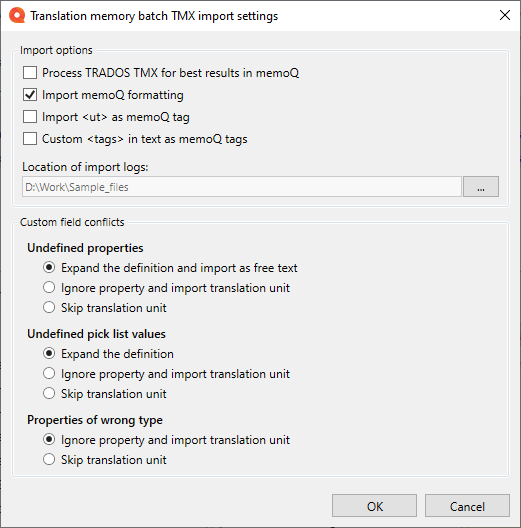
Short answer:
❌ You cannot open PPF or TPF files directly in memoQ.
Why Not?
memoQ supports formats like:
-
TMX (Translation Memory Exchange)
-
CSV
-
Excel
-
XLIFF
Transit’s .ppf and .tpf formats are not standard exchange formats.
Possible Workaround
If you have Transit NXT:
-
Open the PPF/TPF in Transit
-
Export translation memories as TMX (if allowed)
-
Import TMX into memoQ
However:
-
This requires Transit access
-
Export options may be restricted
-
Formatting and metadata can be lost
This is where conversion tools become critical.
6. Why Translators Need Transit Files in Excel
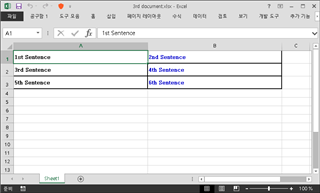
Translators and PMs often need to:
-
Review translations line by line
-
Perform QA checks
-
Filter terminology usage
-
Detect forbidden or inconsistent terms
-
Share linguistic data with clients
Excel is ideal for this — but Transit files are not Excel-friendly by default.
That’s the real bottleneck.
7. How to Convert Transit Files to Excel with linigu.cloud
The SDL Converter tool on linigu.cloud solves this exact problem.
With free registration, you can:
-
Convert Transit NXT reference files into Excel
-
View source and target segments clearly
-
Analyze terminology and reuse
-
Perform QA outside Transit
-
Share readable files with clients or reviewers
Instead of dealing with opaque PPF or TPF files, you get clean, structured Excel sheets.
8. Typical Workflow: Transit NXT → Excel

A practical workflow looks like this:
-
Receive Transit project (PPF / TPF)
-
Open or extract reference data
-
Upload files to linigu.cloud SDL Converter
-
Convert to Excel
-
Review segments, terminology, and consistency
-
Use Excel filters for QA and reporting
This saves hours compared to manual inspection inside Transit.
9. Benefits for Freelancers and Agencies
For Freelancers
-
No need to rely solely on Transit UI
-
Easier QA before delivery
-
Better transparency
For Agencies
-
Faster linguistic audits
-
Clear reporting for clients
-
Easier comparison with SDL Trados or memoQ data
Conclusion
Transit NXT file formats like .PPF and .TPF are powerful but highly proprietary. While they work well inside Transit, they create challenges when translators need visibility, QA, or interoperability with other tools like memoQ or Excel.
That’s why conversion matters.
With linigu.cloud’s SDL Converter, you can transform Transit data into Excel quickly and clearly — turning locked project files into usable linguistic insight.
Comments ()
No comments yet. Be the first to comment!